
 Written by Reactiv App
This guide will help you integrate Bazaarvoice Reviews with your Reactiv Mobile App.
Bazaar is a powerful tool for collecting and showcasing customer reviews to enhance user trust and engagement within your app.
Prerequisites
Before setting up the Bazaarvoice Reviews integration, ensure the following:
-
You have an active Bazaarvoice account with access to the API key.
-
You are signed up for a Reactiv Plan.
-
Your Reactiv Mobile App is already set up and functioning.
Step 1: Access the Integrations Page
-
Log in to your Shopify admin dashboard.
-
In the left-hand menu, locate Reactiv - Mobile App Builder under the "Sales channels" section.
-
Click on Reactiv - Mobile App Builder to open the Reactiv dashboard.
-
Select Integrations from the sidebar.
Step 2: Locate Bazaarvoice Reviews
-
On the Integrations page, use the search bar or scroll to find Bazaarvoice under the "Review" category.
-
Click the Connect button next to Yotpo to access the integration settings.
Step 3: Connect Bazaarvoice to Your Mobile App
-
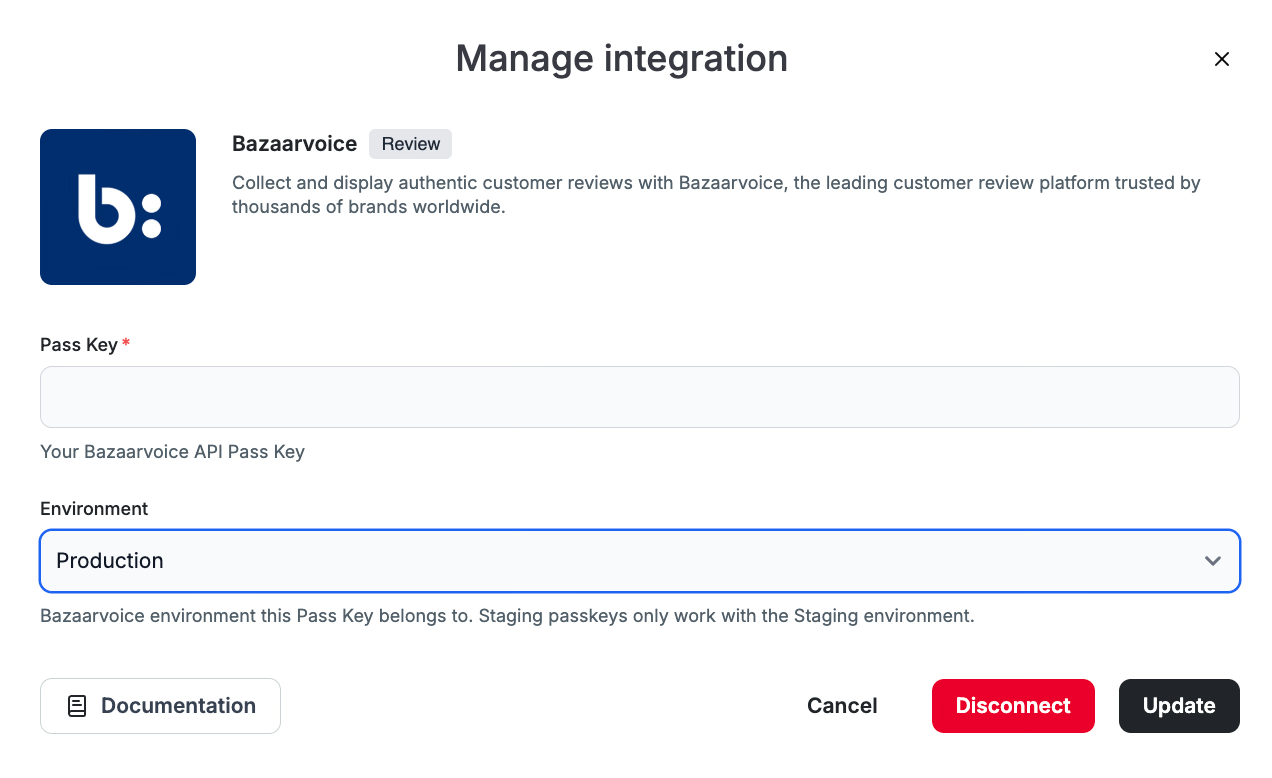
In the Bazaarvoice integration popup, you will see a field for the API Pass Key.
-
Obtain your API Pass Key by following this guide from Bazaarvoice
-
Paste the App Key into the Pass Key field in the Reactiv integration popup
- Select the Bazaarvoice environment the Pass Key belongs to.
- Click the Connect/Update button to save the integration and Bazaarvoice will be connected to Reactiv.
Step 4: Set Bazaarvoice as the Reviews Provider
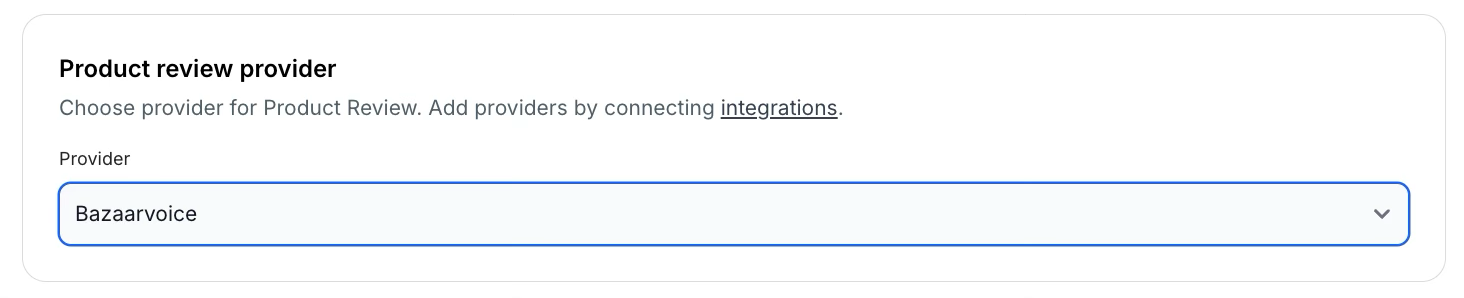
- On the Reactiv Dashboard, navigate to Settings then click on the Integrations Tab
- Set Bazaarvoice as the Product reviews provider and Save
Step 5: Verify the Integration
-
Return to the Studio and preview your mobile app to confirm that the reviews are displaying as expected.
-
If any issues arise, recheck the Bazaarvoice settings make sure to Save the settings correctly.
Step 6: Display your Reviews & Star Ratings
-
Make sure that you enable the star ratings in the PDP settings.
-
You can display star ratings in the following screens:
📝 Always save and publish your work in the dashboard before checking the mobile app.
Limitations
-
Media Support: The current integration supports text-based reviews only. Images and videos are not supported within the Reactiv Mobile App.
-
Customization: Review display options may be limited to the default settings provided by the Bazaarvoice integration.
Troubleshooting
-
Invalid App Key: Ensure that you have correctly copied the App Key from your Bazaarvoice account.
-
Reviews Not Displaying: Confirm that the integration was successfully updated and check for any necessary configurations within the Bazaarvoice dashboard.
For more detailed information on managing and customizing your reviews, please refer to your account manager at Bazaarvoice.